
Individual/Resident Program Scheduling Wizard
The Individual/Resident Program Scheduling Wizard guides the user through the steps necessary to light up the program on the kiosk. When creating a new program for an individual/resident you will be prompted if you would like to schedule the program now. If you select Yes you will be guided through the wizard to schedule the program.
Once an individual/resident program has been created for an individual/resident a scheduling icon will appear on the right hand side that allows the user to create or edit the current schedule.

- Select the Assessment Time, which specifies the time during which you would like the button to appear yellow (Custom, Daily, Weekly, Monthly). You have the ability to schedule Individual/Resident Programs through shift based scheduling or frequency based scheduling. If the desired Assessment Time is not available from the wizard, the user may click on Add or edit an Assessment Time to create a new assessment time frame.
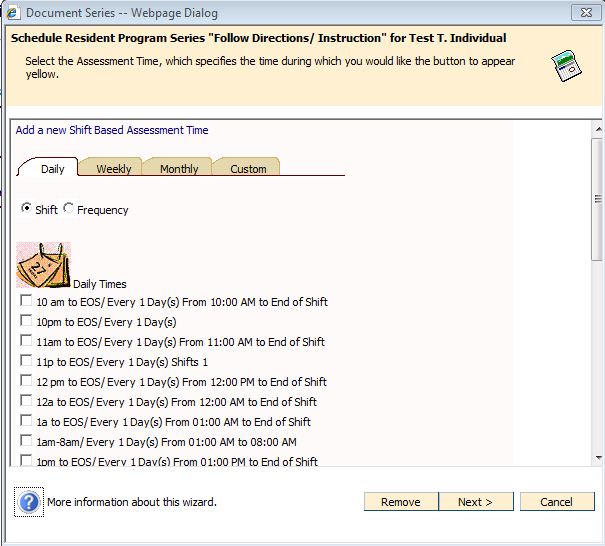
- Click Next.
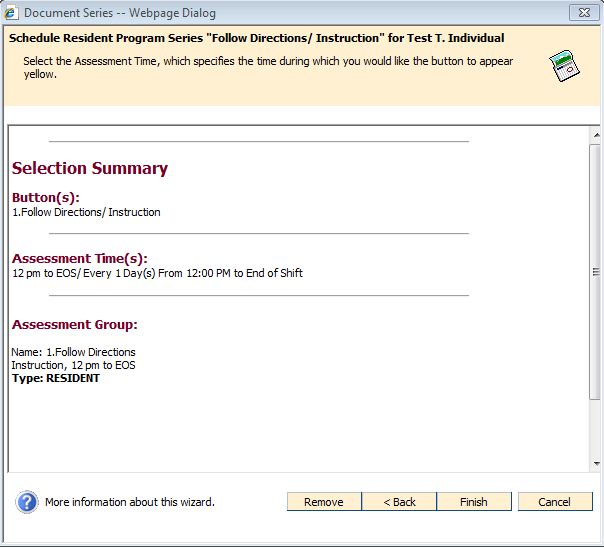
- Review the proposed changes to ensure that you have made the appropriate modifications or additions. Press Finish to finalize your changes.