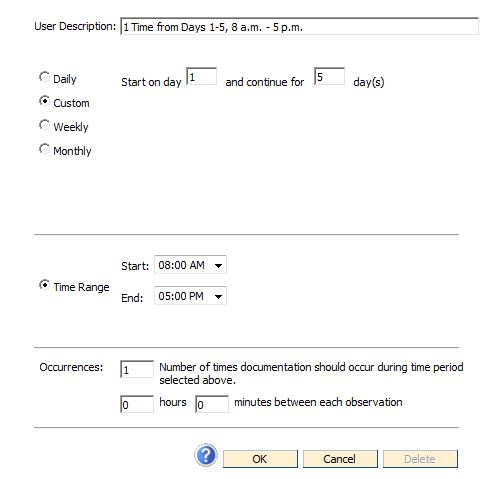
Create a Custom schedule to choose a series of days for an assessment time.
Tap the Custom radio button as shown below. Decide what days you would like the assessment to be scheduled. Day 1 will represent the first day that the resident/individual is active in the system.
In the Time Range section of the window, select when the assessment time should start and end each day.
The Occurrences section of the window allows you to state the number of times documentation should occur during the time period you chose. To specify the amount of time that should lapse between each observation you can enter the total number of hours or minutes that you want to pass before documentation can occur again.
In the example below, titled “1 Time From Days 1-5 8:00 a.m.- 5:00 p.m.”, this custom schedule will turn the lights on starting on day 1 of admission, and continuing for 5 more days. The lights will be on daily from 8:00 am to 5:00 p.m. This is a great illustration of how a custom date range can ensure admission documentation is completed for the resident/individual.