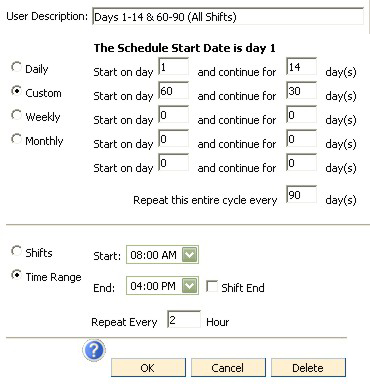
Create a Custom schedule to choose a series of days for an assessment time.
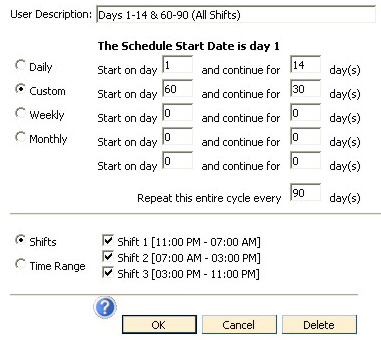
In the example below, titled Days 1-14 and 60-90, All Shifts, this custom schedule will turn the lights on starting of day 1, continuing for 14 more days. Then the kiosk lights will be off on days 16 through 59. On day 60, the lights will come back on and continue for 30 more days. On the example, the lights will come on for all three shifts, and there is no end date established, meaning the cycle will start again every 90 days.
An assessment time can be set up for a specific time of the day, rather than a shift, as shown in the example below. Also, assessments can be set to repeat every "x" hours and can be set to End at Shift End instead of a specific time.