
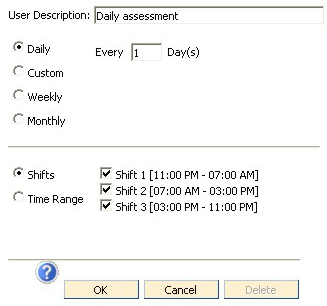
If the series should be scheduled every day, choose the Daily radio button as shown below, choosing Every 1 Days. If the series should be scheduled every other day, then choose Daily Every 2 Days.
In the Shifts section of the window, mark the check box beside each shift the assessment should be scheduled.
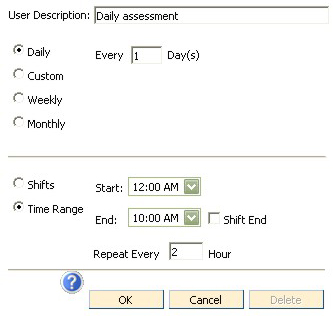
Custom times are available by marking the Custom radio button then selecting the appropriate start and end times (or Shift End if desired). To repeat the assessment every "x" hours, enter a number in the box provided. See example below.
Note: Editing an Assessment Time will edit the time for ALL assessment groups using that Assessment Time, not just the one the user is currently working with.