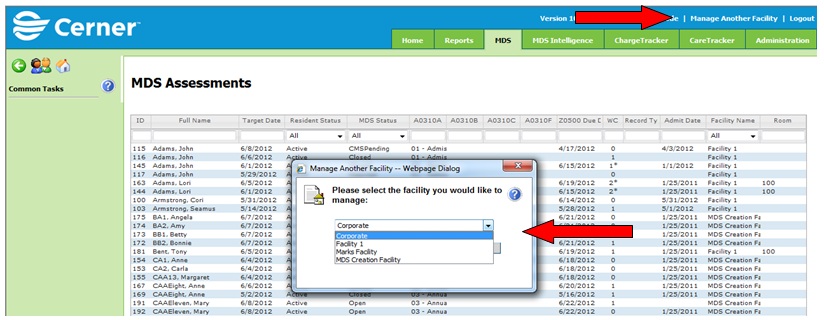
Where a corporation may have several facilities using the MDS program, it is necessary to access and manage each facility setup in MDS independently. To view and manage facility specific information.
1. Log in to MDS using corporate level access credentials
2. Click the Manage Another Facility link at the top right of the screen. The Manage Another Facility window appears.
3. Choose a facility name in the drop down box to view facility specific information.
4. Proceed with viewing facility specific information. When finished click Return to Corporate and repeat steps to view additional facility information.