This document details how to use the ICD-10 Lookup tool, which is used to enter ICD-10 codes into I8000 (additional diagnoses in Section I) of the MDS.
**This tool is only available on MDSs that have an ARD Date of 10/1/2015 or after.**
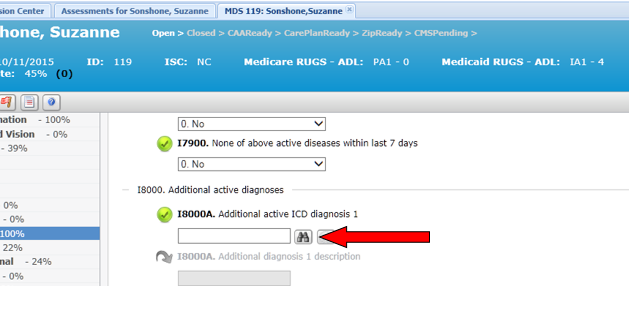
1. While looking at the I8000 fields, you will see this binoculars icon appear to the right of the field: If you hover over the icon, it will say Lookup Diagnosis. You will click this icon to both look up an ICD-10 code and to fill in the code you wish to enter in I8000.
2. In order to enter an additional diagnosis into I8000, click the Lookup Diagnosis icon.
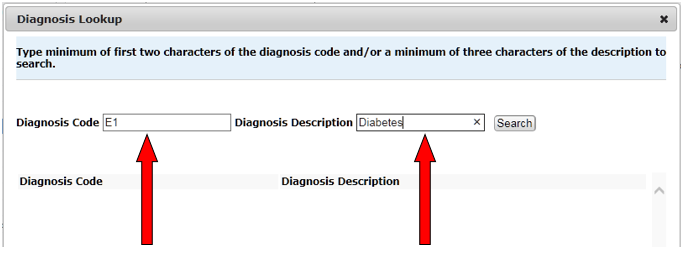
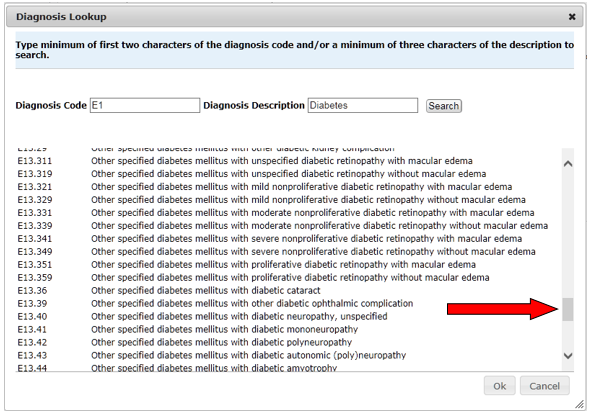
3. The Diagnosis Lookup window will pop up. This will allow you to search by Diagnosis Code, Diagnosis Description, or both Diagnosis Code and Diagnosis Description. You will need to type a minimum of at least two characters in the Diagnosis Code field and three characters in the Diagnosis Description field in order to return search results. You may type as many characters as you need to in order to refine your search.
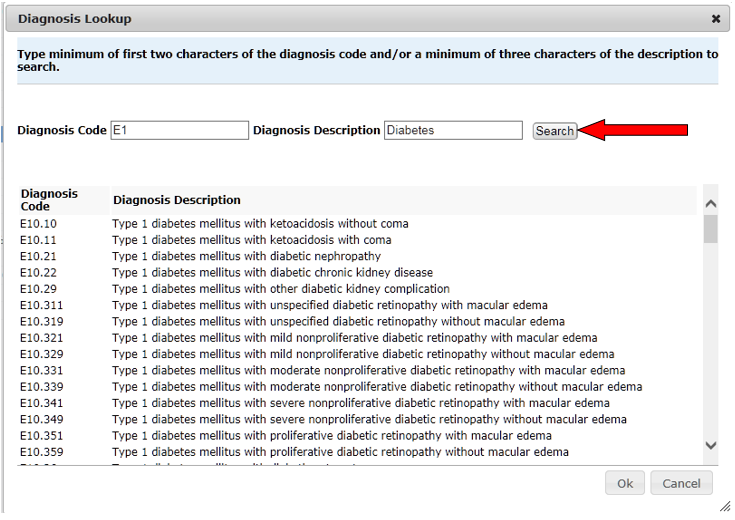
4. Once you have typed in your search criteria, you must click the Search button to return ICD-10 code results.
5. If you do not see the ICD-10 code you are looking for, you may add additional information into your Search fields and click Search again, or you may use the scroll bar to scroll through the results.
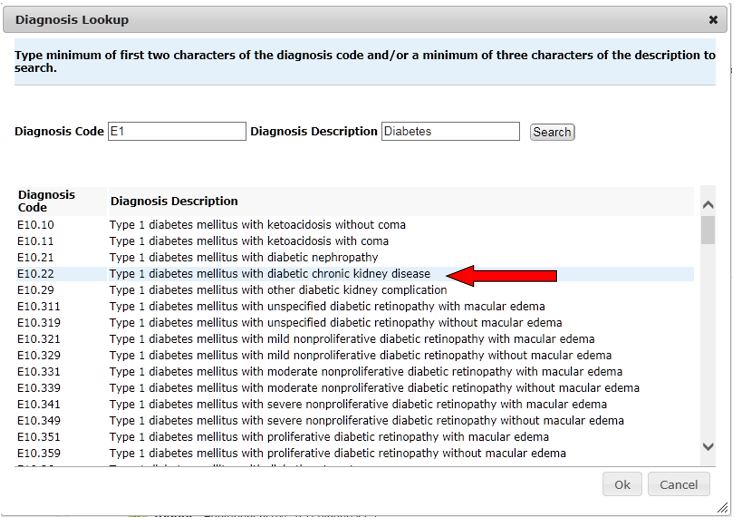
6. Once you find the ICD-10 code you’re looking for, click it once to select it in the results list.
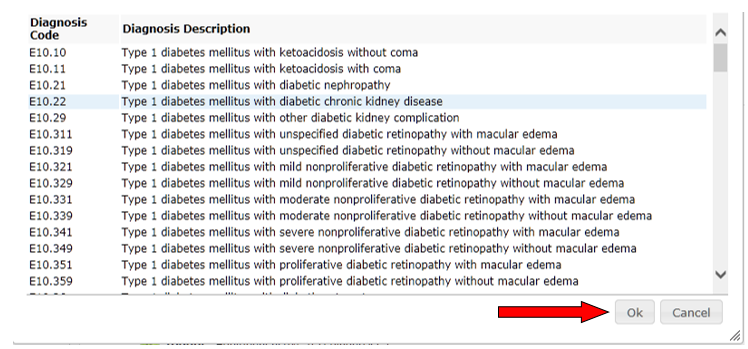
7. Then, click OK, or double-click the code, to enter it into I8000.
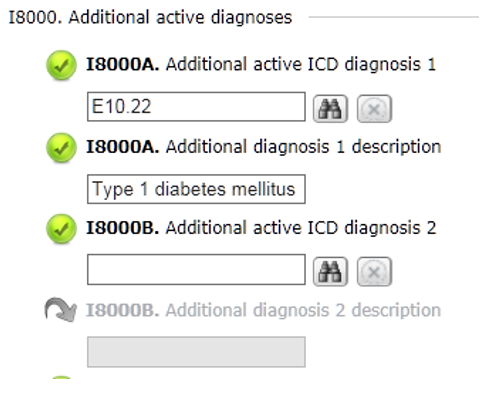
8. The Diagnosis Lookup box will disappear, and you will see the I8000 field filled in with the code you selected with its corresponding description. You will see the  icon until you click off of the field; this icon indicates that the solution is waiting for you to continue before validating the field.'
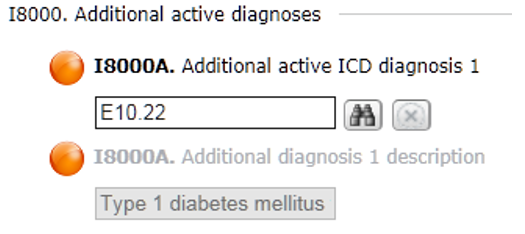
9. At this point, you will see the code and its description entered into their appropriate fields. If you want to edit either field, you will need to click on the Diagnosis Lookup icon again to select a new code. **You may not edit the I8000 fields manually.**
If you need to clear the I8000 field, you may do so by clicking the  icon to the right of the field.
You may enter the next diagnosis code into the next empty I8000 field by clicking the Diagnosis Lookup icon, located to the right of the next empty I8000 field.