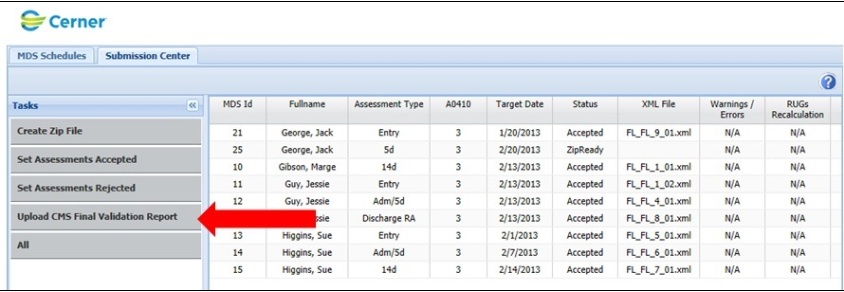
1. To upload a final validation report from CMS, tap "Upload CMS Final Validation Report" on the submission tab under "Tasks" in the left hand side of the screen.
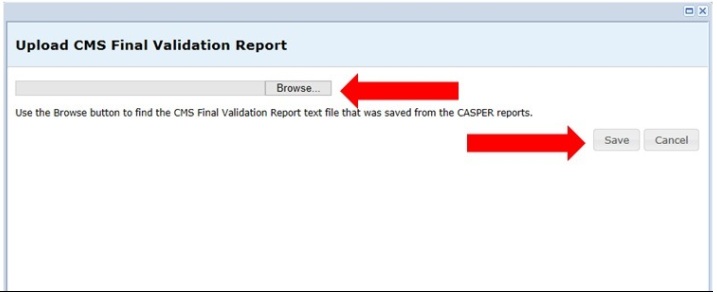
2. Browse to the location of the Final Validation Report, select the file, and finally hit "Save."